This Post Contents
How to Respond to “Logical Discrepancy” Notices (SIR 2026) on the Voters’ Service Portal
How to Submit Documents for Logical Discrepancy Notice on Voter Portal- If you have received a notice regarding a “Logical Discrepancy” under the Special Intensive Revision (SIR) 2026 drive, do not panic. This is part of the Election Commission of India’s (ECI) latest effort to clean up the electoral rolls by removing errors like duplicate entries, age mismatches in family trees, or missing photographs.
The ECI has enabled a specific facility on their portal to respond to these notices online. This guide will walk you through the process step-by-step using the Voters’ Service Portal (ECINet).
🧐 What is a “Logical Discrepancy”?
Before you submit your documents, it helps to know what you are fixing. A “Logical Discrepancy” usually refers to data that the system has flagged as mathematically or biologically impossible or inconsistent. Common examples include:
- Age Gaps: The age difference between a parent and child in the system is less than 15 years or more than 50 years.
- Family Tree Errors: You are mapped to the wrong relative or “progeny” in the database.
- Duplicate Data: Your name/photo appears in multiple constituencies.
You are required to submit valid proof (like a Birth Certificate or Aadhaar) to correct this record and prevent your name from being flagged or deleted.
✅ Prerequisites
Before you begin, ensure you have the following:
- The Notice Reference Number: This would be on the physical notice sent to you or provided by your Booth Level Officer (BLO).
- Your EPIC Number: Your Voter ID card number.
- Registered Mobile Number: The phone linked to your Voter ID to receive the OTP.
- Proof Documents: Scanned copies (PDF/JPG) of documents that prove the correct details (e.g., Aadhaar, Pan Card, Birth Certificate).
How to Submit Documents for Logical Discrepancy Notice on Voter Portal
🚀 Step-by-Step Guide to Submit Documents
Follow these steps to clear the discrepancy notice online.
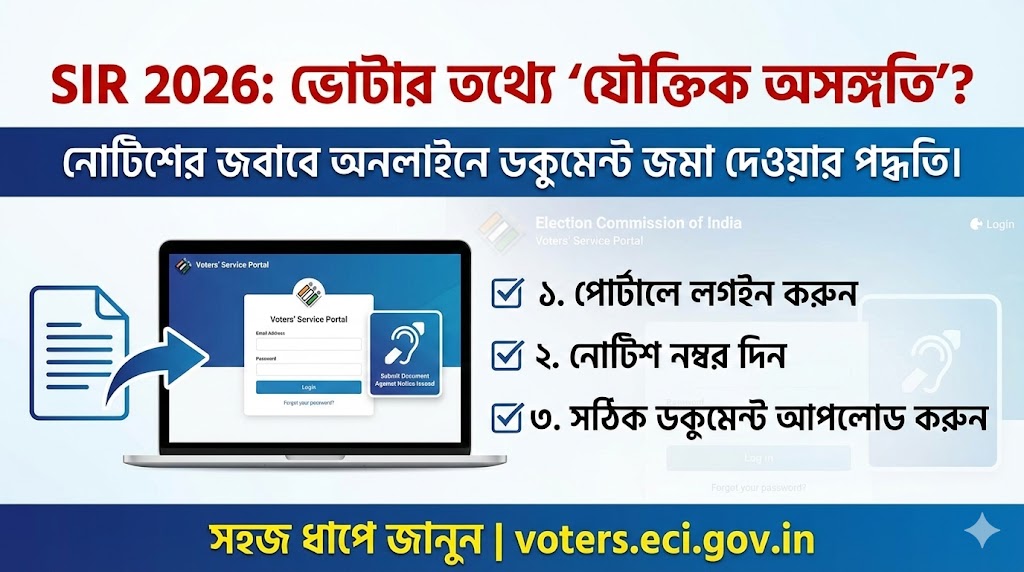
Step 1: Login to the Portal
Visit the official Voters’ Service Portal at voters.eci.gov.in.
- Click on Login at the top right.
- Enter your Mobile No. or EPIC No.
- Enter the Password and the CAPTCHA.
- Request and enter the OTP to access your dashboard.
Note: As seen in the SIR 2026 login screen, ensure you are accessing the official ECI portal.
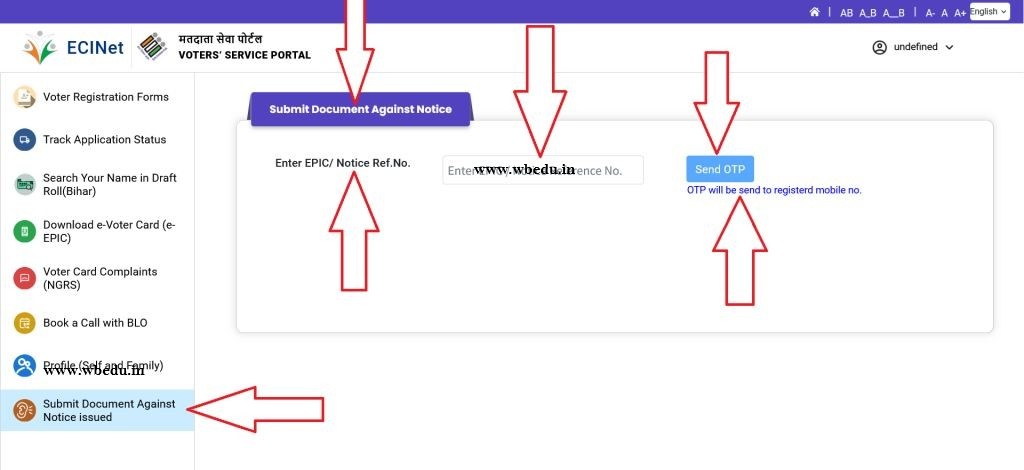
Step 2: Navigate to “Submit Document Against Notice”
Once logged in, look at the sidebar on the left-hand side of the dashboard.
- Locate the tab labeled “Submit Document Against Notice issued”.
- It is typically represented by an icon resembling an ear or hearing aid (symbolizing a “hearing” or response to a notice).
Step 3: Enter Notice Details
You will be directed to a form titled “Submit Document Against Notice”.
- Enter EPIC/ Notice Ref.No.: In the text box provided, type in the Reference Number from the notice you received or your EPIC number if instructed.
- Send OTP: Click the blue “Send OTP” button. A one-time password will be sent to your registered mobile number.
Step 4: Verify and Upload
- Enter the OTP received on your mobile to verify your identity.
- Once verified, the system will display the specific discrepancy associated with your record (e.g., “Age Mismatch”).
- Upload Document: Select the appropriate document type (e.g., Birth Certificate) and upload the file.
- Submit: Click the final Submit button. Save the acknowledgement receipt for your records.
⚠️ Troubleshooting Tips
- “Record Not Found”: If entering your Notice Reference Number gives an error, try entering your EPIC Number instead. If both fail, contact your local BLO immediately.
- OTP Issues: Ensure your mobile number is updated in the voter profile. If you cannot receive OTPs, you may need to update your mobile number via Form 8 first.
- Deadline: SIR 2026 drives are time-bound. Ensure you submit your response within the days mentioned in your notice (usually 15 days) to avoid potential deletion from the rolls.